
linux 虽然有 Gimp 图像处理软件,但是操作习惯跟Photoshop完全不同。对习惯了Photoshop 的人来说,使用 Gimp 就跟重新学习PS一遍没什么区别,像便秘一样难受。所以有没有Linux版本的PS呢?
1、创建 Photoshop 安装目录,并配置 wine 环境:
2、解压 Photoshop CC 程序和配置工具:
3、国内环境 winetricks 下载软件非常慢,而且时常中断,所以提前下载好所需软件:
4、配置 Photoshop 运行环境:
5、安装 Photoshop 所需的组件:
6、安装 vkd3d proton 显卡加速库:
7、安装 Adobe Photoshop CC 2021 程序,配置运行环境,设置桌面快捷方式:
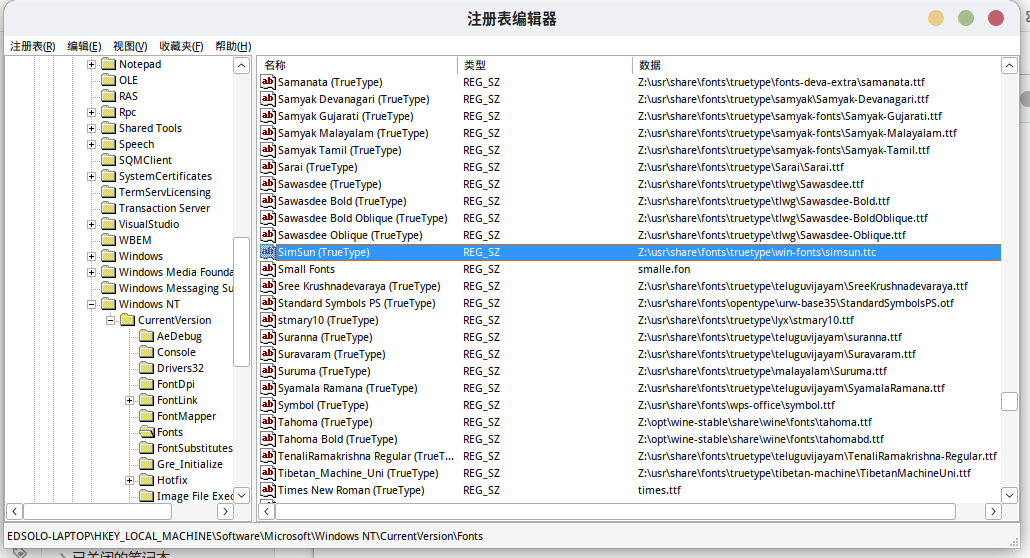
8、解决中文显示方框问题,打上中文显示补丁:
9、解决中文显示字体发虚、模糊问题
10、安装相机拍摄插件(可选)
有!虽然Adobe官方没有为Linux定制一款PS,但我们通过使用wine来配置运行PS,效果和在Windows系统上一样,可以充分利用显卡加速,性能几乎和在Windows下使用一模一样。
本教程 Linux Photoshop CC 2021 程序所有工具资源下载地址:
关注公众号,回复“linuxps”获取:
–> 搜索公众号半点心荒 (bandianxinhuang)<–
源码:https://github.com/mecloo/photoshop-2021-cc-linux.git
1、创建 Photoshop 安装目录,并配置 wine 环境:
exportWINEPREFIX="$HOME/Adobe-Photoshop"
2、解压 Photoshop CC 程序和配置工具:
tar -xvf allredist.tar.xztar -xvf AdobePhotoshop2021.tar.xz
3、国内环境 winetricks 下载软件非常慢,而且时常中断,所以提前下载好所需软件:
tar -xvf winetricks.tar.xz
4、配置 Photoshop 运行环境:
chmod+x allredist/winetricksallredist/winetricks win10
5、安装 Photoshop 所需的组件:
allredist/winetricks fontsmooth=rgb gdiplus msxml3msxml6atmlib corefonts dxvkwine allredist/redist/2010/vcredist_x64.exe/q/norestartwineallredist/redist/2010/vcredist_x86.exe/q/norestartwine allredist/redist/2012/vcredist_x86.exe/install/quiet/norestartwine allredist/redist/2012/vcredist_x64.exe/install/quiet/norestartwine allredist/redist/2013/vcredist_x86.exe/install/quiet/norestartwine allredist/redist/2013/vcredist_x64.exe/install/quiet/norestartwine allredist/redist/2019/VC_redist.x64.exe/install/quiet/norestartwine allredist/redist/2019/VC_redist.x86.exe/install/quiet/norestart
6、安装 vkd3d proton 显卡加速库:
allredist/setup_vkd3d_proton.sh install
7、安装 Adobe Photoshop CC 2021 程序,配置运行环境,设置桌面快捷方式:
mkdir -v $WINEPREFIX/drive_c/Program\ Files/Adobemv Adobe\ Photoshop\2021$WINEPREFIX/drive_c/Program\ Files/Adobe/Adobe\ Photoshop\2021mv allredist/launcher.sh $WINEPREFIX/drive_cmv allredist/photoshop.png ~/.local/share/iconsmv allredist/photoshop.desktop ~/.local/share/applicationschmod+x $WINEPREFIX/drive_c/launcher.sh
8、解决中文显示方框问题,打上中文显示补丁:
mv allredist/fonts/*$WINEPREFIX/drive_c/windows/Fonts/wine regedit allredist/simsun.reg
或者直接修改注册表,依次打开“HKEY_LOCAL_MACHINE->Software->Microsoft->Windows NT->CurrentVersion->Fonts”,在其中新建字符串“SimSun (TrueType)”,字符串值为“Z:\usr\share\fonts\truetype\win-fonts\simsun.ttc”
WINEPREFIX=~/Adobe-Photoshop wine regedit
9、解决中文显示字体发虚、模糊问题
allredist/winetricks gdiplus reched20wine regedit allredist/tahoma.reg
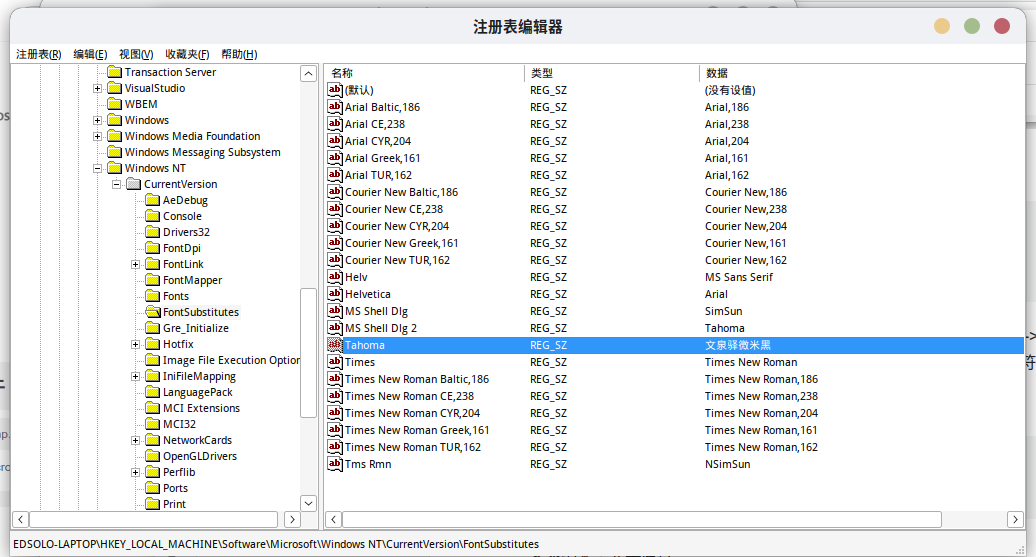
或者直接修改注册表,依次打开“HKEY_LOCAL_MACHINE->Software->Microsoft->Windows NT->CurrentVersion->FontSubstitutes”,在其中新建字符串“Tahoma”,字符串值为“文泉驿微米黑”
注意!这里不要将其设置成“SimSun”这样的值,会导致编辑菜单栏下菜单项显示不全的bug
打开wine设置,在函数库中添加 “odbc32、ucrtbase“函数库:
WINEPREFIX=~/Adobe-Photoshop winecfg
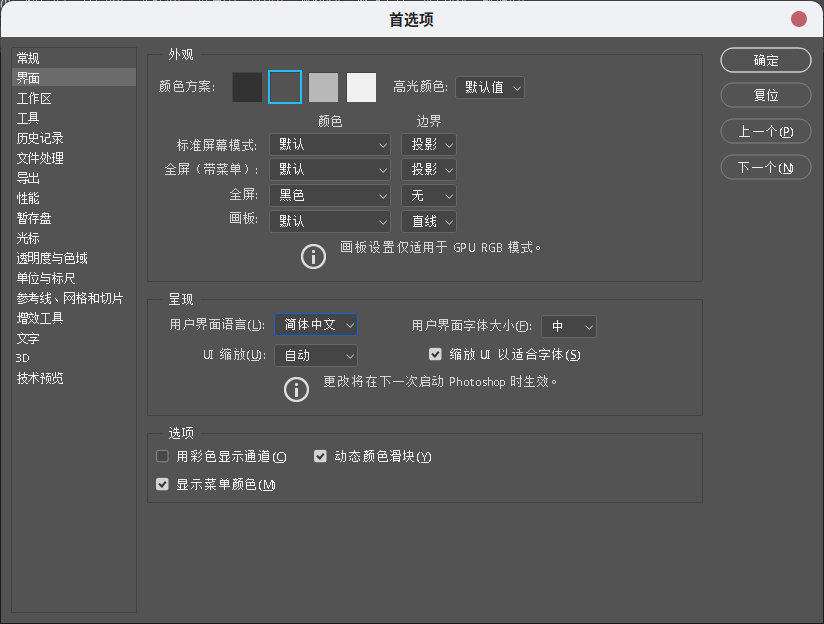
中英文切换:编辑->首选项->界面,找到用户界面语言,可以选择“English”和“简体中文”
10、安装相机拍摄插件(可选)
wine CameraRaw_12_2_1.exe
安装结束,完美运行!

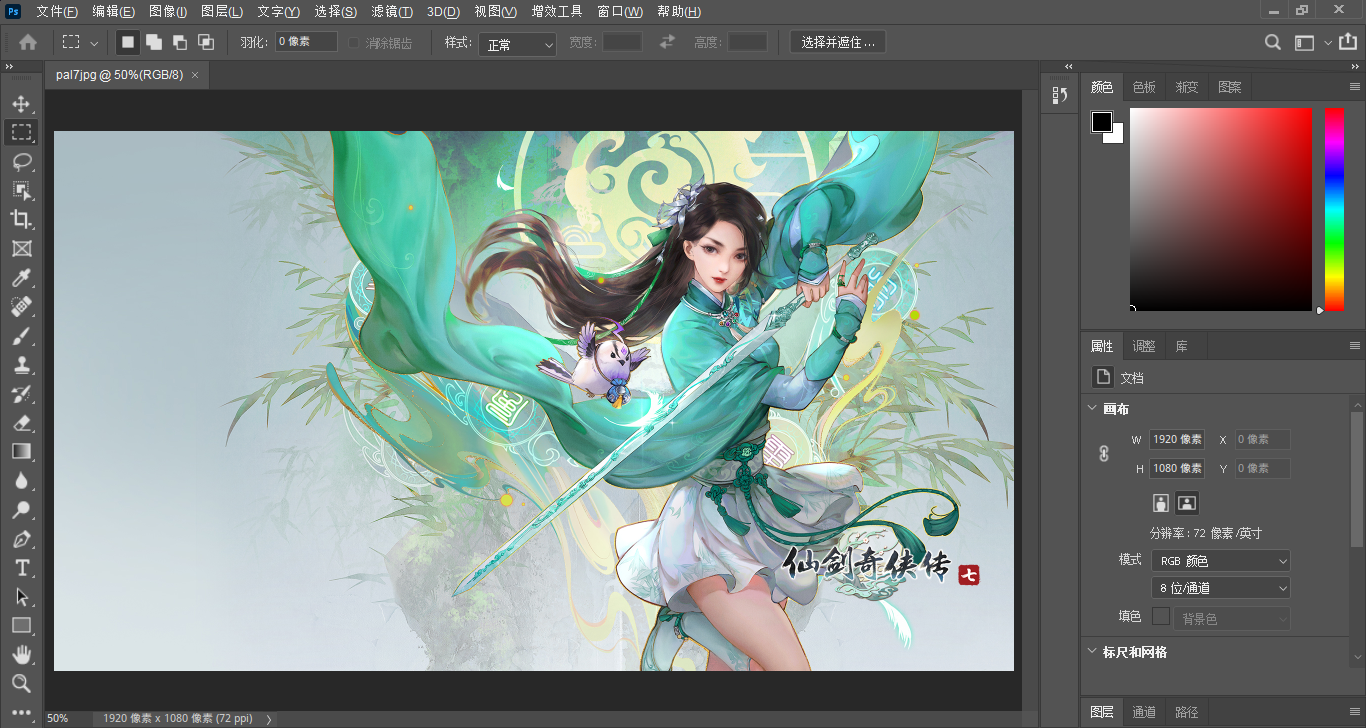
可能存在的问题:如果安装结束后,运行桌面快捷方式PS一闪而过,则重启解决!